Content Management and Backup Creation
To view your organisation's data, click on the ArcGIS Online Content tab. This view populates a list of all items in your environment.
Filtering Content
Use the filter dropdown menu at the top of the list to switch between:
- Feature Services
- Web Maps
- Applications
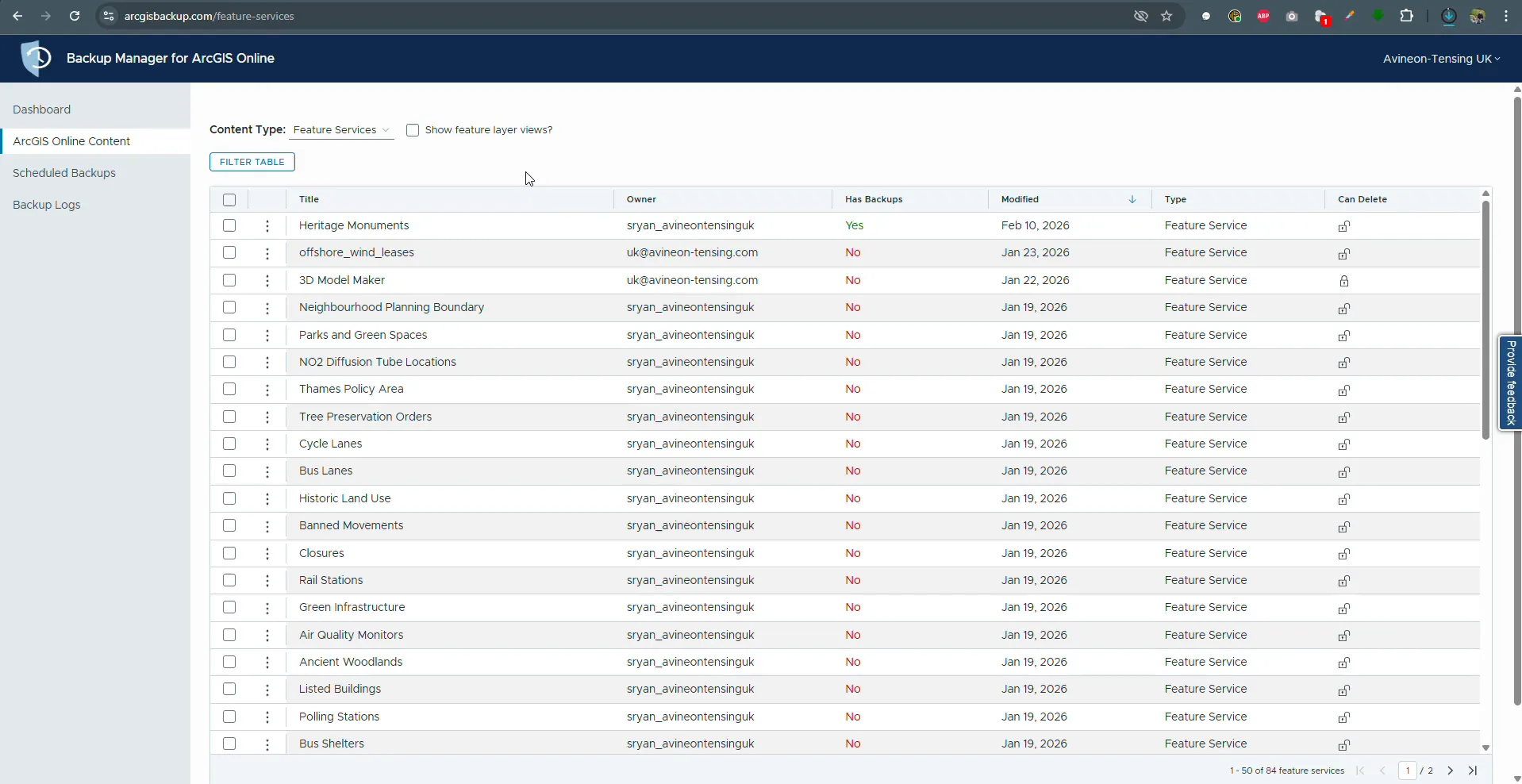
The content list where backups are initiated.
Item Actions
When clicking the action icon (three vertical dots) for a specific item, the following options are available:
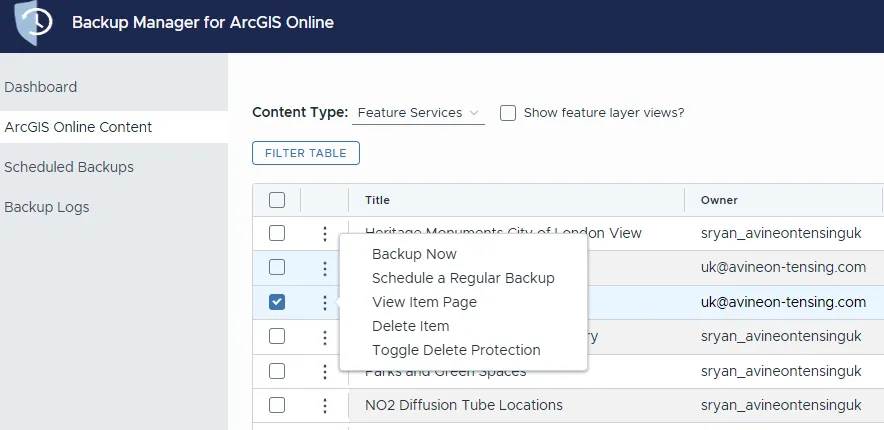
Item options.
Action | Description |
|---|---|
Backup Now | Triggers an immediate manual snapshot of the selected data layer. |
Schedule a Regular Backup | Opens the scheduling interface to define a recurring time and day for automated backups. |
View Item Page | Provides a direct link to the item details page within your ArcGIS Online organisation. |
Delete Item | Removes the selected item from the manager (subject to permissions). |
Toggle Delete Protection | Allows you to enable or disable protection to prevent the item from being accidentally deleted. |