Scheduling Automated Tasks
If you choose to schedule a backup, a dialogue box will appear asking for specific timing details. You will need to define:
- The exact hour and minute
- The day of the week you wish the backup to recur
Once saved, the task moves to the Scheduled Backups tab.
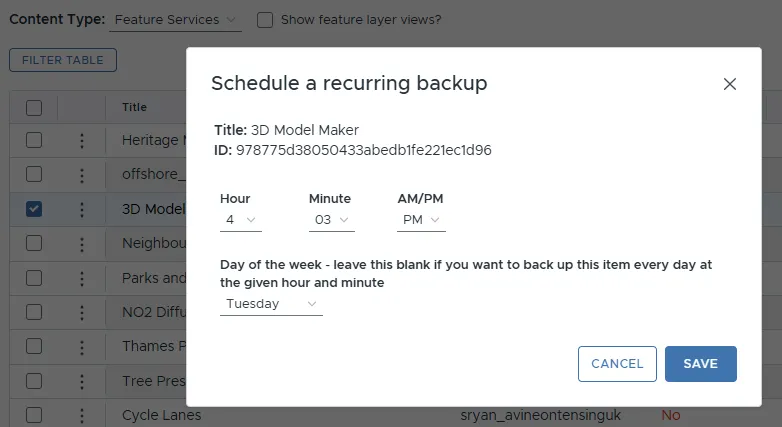
The scheduling interface for automated retention.
Scheduled Backups Tab
The Scheduled Backups tab acts as a control centre for your automation. From this list, you can view all active retention tasks and use the edit or delete controls to modify or remove any schedule.

Overview of Scheduled Backups.
Scheduled Task Actions
When clicking the action icon (three vertical dots) next to an existing scheduled task:
Action | Description |
|---|---|
Edit | Allows you to modify the existing schedule, such as changing the backup time or the day of the week it recurs. |
Delete | Permanently removes the automated retention task from the system. Note: this stops future automated backups for that item but does not delete existing backup logs. |